Central setup
Backoffice · Menus & prices
Restaurant Operating System
Kalopsia connects menus and location prices, POS sales, online orders, customer activity and reporting across your restaurant locations. Set up what you sell, handle orders and compare the results.
For restaurant owners, operators and location managers.
See the connections
Backoffice · Menus & prices
SalesApp / POS · OrderHub
Online menu & cart
Backoffice · SimpleBI
 Restaurant Operating System
A manager maintains the menu and the price list for the restaurant location in Backoffice.
Explore this areaStaff enter restaurant sales in SalesApp / POS. OrderHub supports order handling and status within the configured workflow.
Explore this areaThe restaurant website shows the menu and cart. Ordering steps, accounts and promotions depend on the restaurant’s setup.
Explore this areaManagers compare sales by location and period, then review product margins and costs in the relevant reports. They decide what to investigate or change.
Explore this areaShared setup. Clear application roles. Connected sales channels use the applicable product and location setup; each application has a defined role.
Inside the software
Backoffice combines the daily dashboard, Sales Pulse sales monitoring, an intelligence inbox and product/price setup. Teams take POS orders; customers browse the online menu.
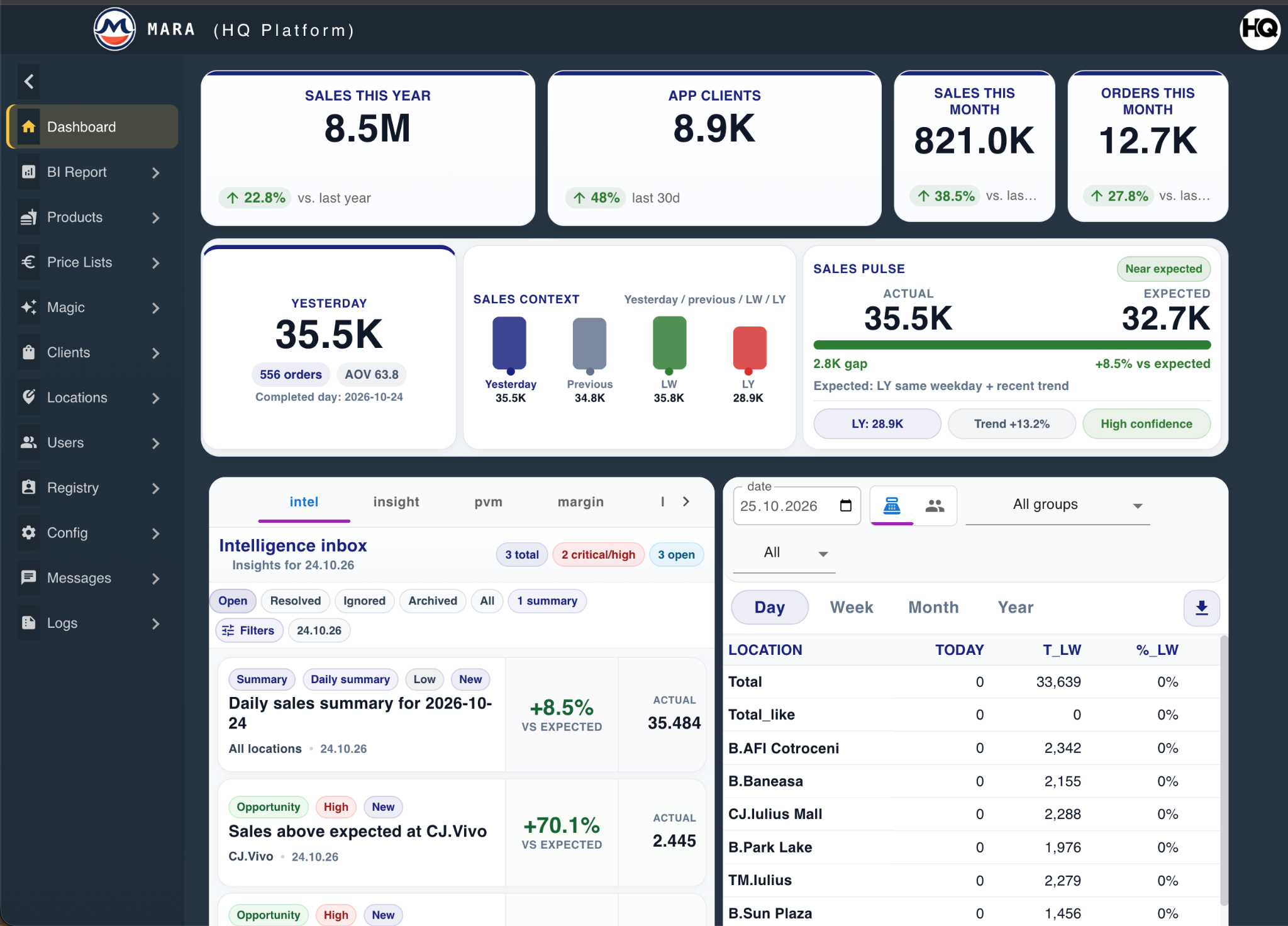
Backoffice dashboard · Monitor daily sales and review locations.
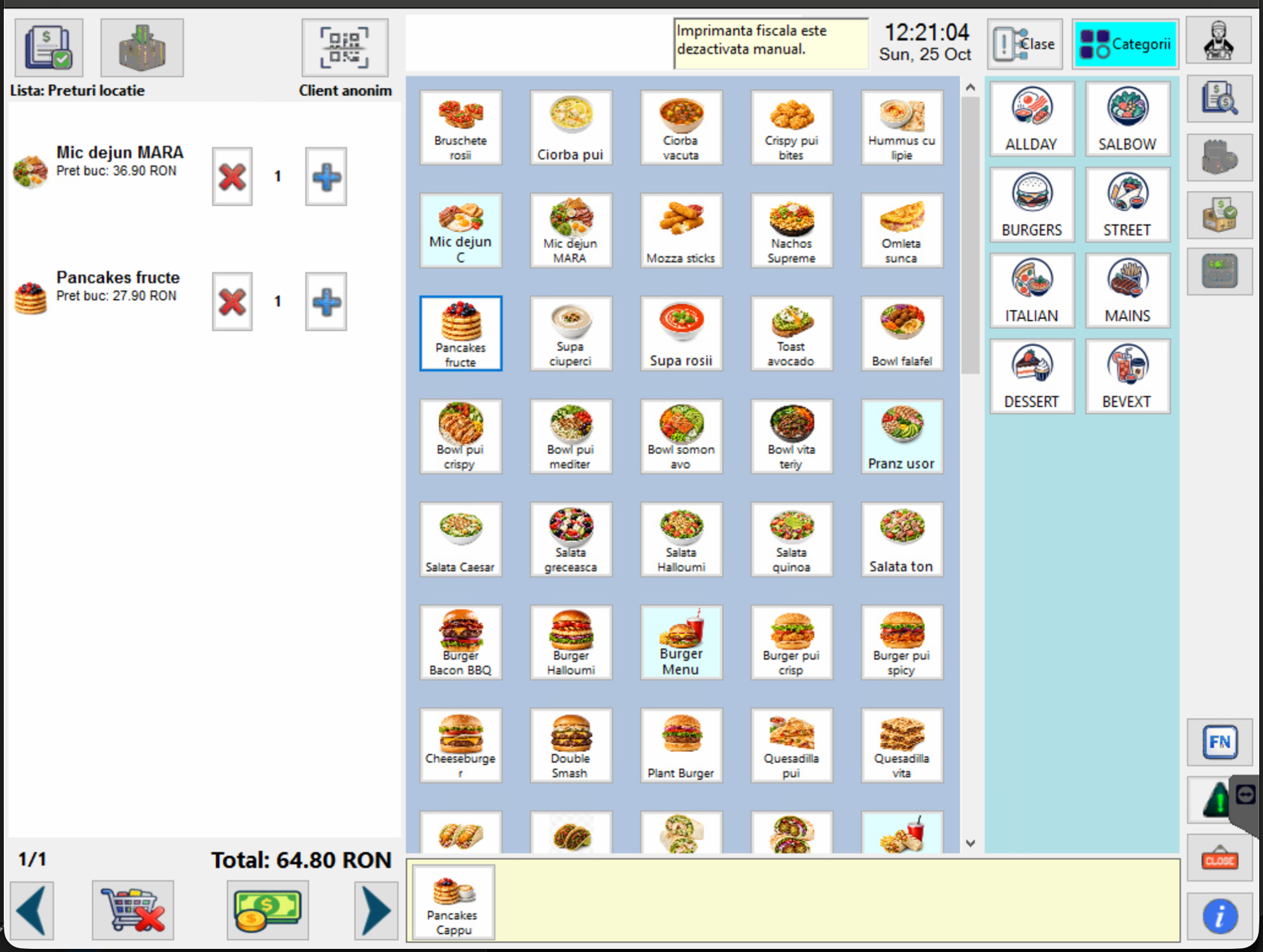
Restaurant sales · Add products to an order and check the total in SalesApp / POS.
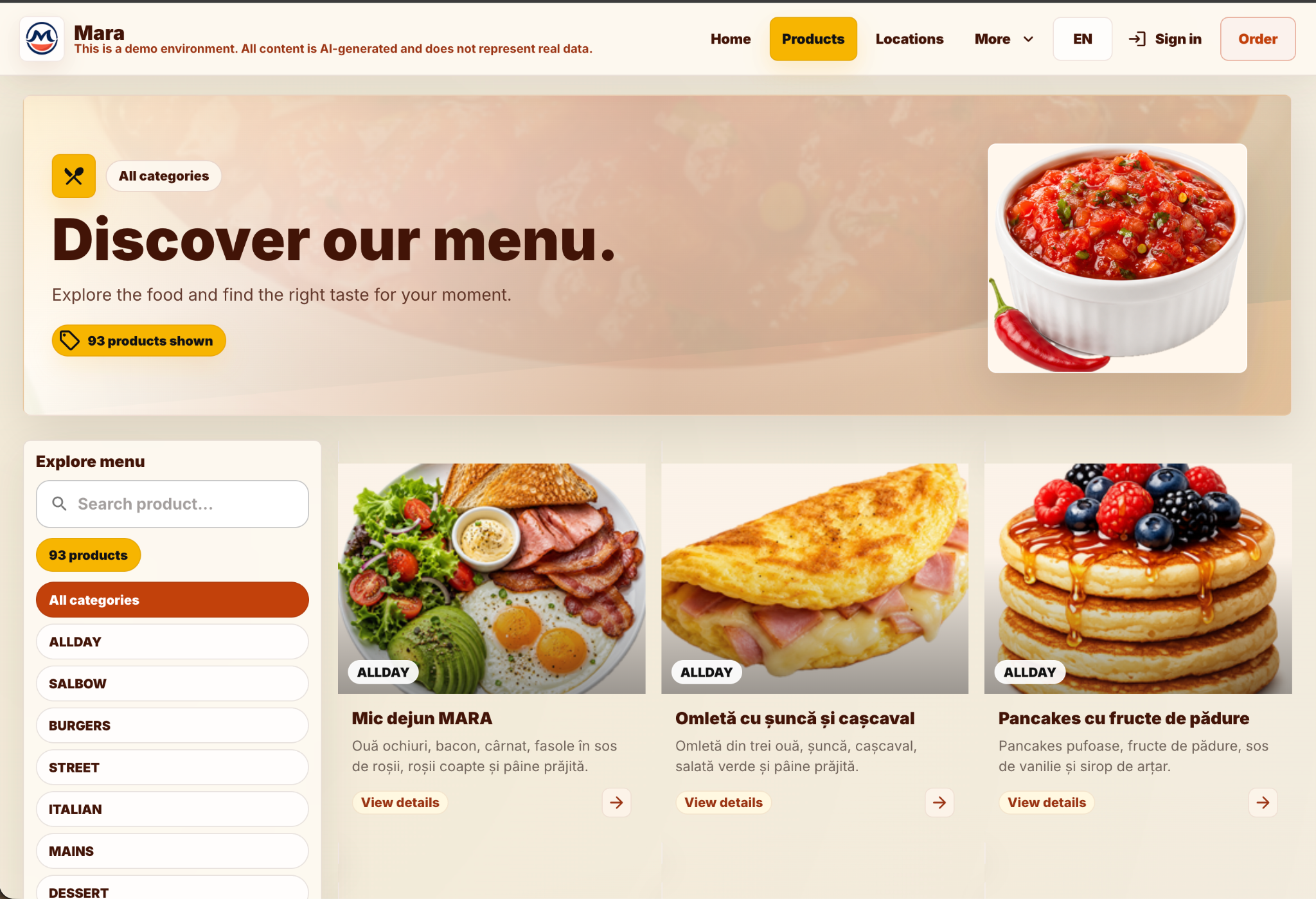
Customer menu · Help customers browse categories and find products before ordering.
Mara is a demo restaurant powered by Kalopsia. Demo figures include partial periods and future-month zeros.
Inside the platform
Each tool supports a clear part of the restaurant’s daily work.
Managers use Backoffice for daily KPI and location review, sales analysis, product and combo setup, location prices, margins, ingredient costs and customer activity.
Management & configurationRestaurant teams enter sales in SalesApp / POS. OrderHub supports order handling and status within the configured workflow.
Restaurant sales & ordersCustomers browse the restaurant menu and build orders online. Teams review customer activity and use the configured promotion and loyalty workflows.
Customers & orderLocation managers use SimpleBI for sales, targets and stock-count entry. Management views compare locations, products, margins and ingredient costs.
Location workspace & reportingDaily restaurant tasks
Keep location prices organised, process restaurant and online orders, and use sales and cost comparisons to decide what to review next.
Set up products and menus centrally, then maintain the price list that applies to each location.
Learn moreEnter sales at the POS and let customers browse and order through the restaurant website, within the configured workflows.
Learn moreWhich locations are selling less than the comparison period? Which products contribute the most margin? Use reports to investigate.
Learn moreSee Kalopsia at work
Tell us how many locations you run and which tasks you want to see: menu setup, POS sales, online orders or reporting.